
NeuroLens
Why Scrolling Causes Increased Eye Strain

FSDAVCFEBFEVSDDVFSD

FSDAVCFEBFEVSDDVFSD

FSDAVCFEBFEVSDDVFSD
Why Phone Use Feels Harder on the Eyes
Many people spend hours using digital devices but notice that phone scrolling feels more tiring than desktop work. They may experience headaches, eye pressure, blurry focus, dizziness, neck discomfort, or visual fatigue after spending time on their phones. Desktop work may feel more manageable even with similar screen time.
Phone use creates unique demands because the screen is held closer, text is smaller, and content moves constantly. The eyes must focus, align, and track changing information while the neck and shoulders may remain strained. For some individuals, binocular vision strain phone use can make scrolling more uncomfortable and increase eye strain symptoms.
Many people spend hours using digital devices but notice that phone scrolling feels more tiring than desktop work. They may experience headaches, eye pressure, blurry focus, dizziness, neck discomfort, or visual fatigue after spending time on their phones. Desktop work may feel more manageable even with similar screen time.

Phone use creates unique demands because the screen is held closer, text is smaller, and content moves constantly. The eyes must focus, align, and track changing information while the neck and shoulders may remain strained. For some individuals, binocular vision strain phone use can make scrolling more uncomfortable and increase eye strain symptoms.
Close Viewing Distance Increases Demand
Phones are generally held much closer than desktop monitors, creating greater demands on the visual system. The closer an object is, the harder the eyes must work to focus and maintain alignment. During long scrolling sessions, this near demand can increase quickly, especially when reading small text, switching between multiple apps, or using a phone while lying in bed with the screen only inches away. Comprehensive eye exams can help evaluate how these habits affect visual comfort and eye function.
Small text creates another challenge because the eyes must focus more precisely while the brain processes a constant stream of changing information. When text feels difficult to read, people may squint, lean forward, or bring the phone closer to their face. These habits can increase visual stress and contribute to phone scrolling eye strain over time.
For patients with subtle eye alignment issues, phone use can become a significant trigger because it combines close viewing distance with continuous movement. The eyes must stay aligned while tracking scrolling content and rapidly changing visuals. NeuroLens screening may help determine whether binocular alignment strain is contributing to symptoms that feel worse on a phone than during desktop work.
Motion and Scrolling Can Overload Vision
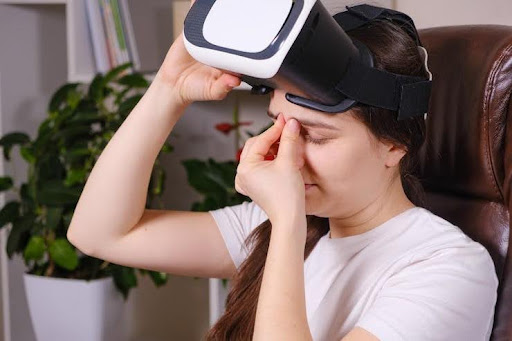
Scrolling creates constant visual motion that requires the eyes and brain to process text, images, videos, advertisements, notifications, and changing layouts in rapid succession. Even people with healthy vision may find this activity visually demanding during extended sessions, especially when switching quickly between different types of content. This repeated visual effort can contribute to eye strain from scrolling and overall discomfort.
Some individuals are more sensitive to visual motion and may experience dizziness, nausea, headaches...
difficulty concentrating, or a feeling of being visually overwhelmed while scrolling. When these symptoms occur frequently, especially along with eye strain or pressure around the eyes, a binocular vision evaluation may be worth discussing. This evaluation can help determine whether eye coordination concerns, visual stress, or alignment issues are contributing to symptoms during digital device use and other visually demanding activities.
Phone posture can often make symptoms worse because many people look downward while scrolling, causing the head to move forward and shoulders to round. This position may create tension in the neck and upper back, which can combine with visual strain. When both systems are under stress, it may become difficult to identify whether discomfort starts from the eyes, the neck, or both. Kleinwood Vision can help evaluate whether visual factors may be contributing to these concerns.
Reduced blinking is another important factor during phone use. People naturally blink less while concentrating on screens, and phone scrolling can increase this effect because attention stays focused on rapidly changing content. Fewer blinks can dry the eye surface, leading to burning, irritation, fluctuating vision, or contact lens discomfort. These dry-eye symptoms may add another layer of visual fatigue and make extended screen use more uncomfortable over time.
Why Desktop Work May Feel Easier
Desktop screens are usually larger, farther away, and more stable than smartphones. Text can be displayed in larger sizes, posture is often more ergonomic, and users do not need to hold the screen in their hands. These factors can reduce demands on focusing and eye alignment systems, making many visual tasks feel more comfortable and manageable.
This does not mean desktop work is completely free from strain. Long computer sessions can still contribute to dryness, headaches, and fatigue. However, phone scrolling often combines multiple stressors, including close viewing distance, small text, constant motion, and poor posture. These factors may trigger symptoms more quickly and contribute to screen eye strain Houston concerns. Understanding these differences can help patients make practical adjustments to improve visual comfort during daily screen use.
When NeuroLens Screening Makes Sense
NeuroLens screening may be worth considering when phone-related symptoms occur frequently, feel unusually intense, or are accompanied by headaches, eye pressure, neck tension, dizziness, or difficulty refocusing between tasks. These symptoms may indicate that the visual system is working harder during close-up activities.
It may be especially helpful when symptoms continue despite having an updated prescription or when phone use feels more difficult than other visual activities, such as computer work, reading, or television viewing.
NeuroLens screening may be worth considering when phone-related symptoms occur frequently, feel unusually intense, or are accompanied by headaches, eye pressure, neck tension, dizziness, or difficulty refocusing between tasks. These symptoms may indicate that the visual system is working harder during close-up activities.
It may be especially helpful when symptoms continue despite having an updated prescription or when phone use feels more difficult than other visual activities, such as computer work, reading, or television viewing.
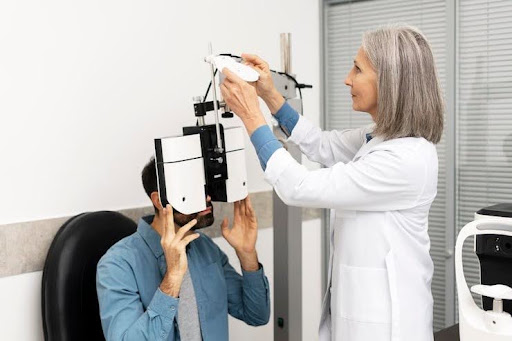
The screening measures how the eyes align at different viewing distances, helping the doctor determine whether binocular vision strain may be contributing to discomfort during near tasks and prolonged scrolling sessions. Identifying these visual factors can help provide a clearer understanding of screen-related discomfort and guide appropriate next steps.
Why Ongoing Symptoms Should Not Be Ignored
Phone eye strain headaches are often dismissed as a normal part of modern technology use, but recurring symptoms deserve attention. When scrolling regularly causes headaches, dizziness, blurred focus, nausea, pressure around the eyes, or neck discomfort, the visual system may be working harder than expected. These symptoms can result from several factors, including screen habits, tear film issues, posture, prescription needs, and binocular alignment demands.
Simple adjustments can help reduce many common contributors to digital eye strain. Holding the phone farther away, increasing text size, reducing glare, taking regular breaks, limiting nighttime scrolling, and maintaining better posture may lower visual stress. Contact lens wearers may also benefit from dry-eye management if screen use causes burning, irritation, dryness, or fluctuating vision. These changes can support better comfort during daily device use.
When symptoms continue despite improved habits, NeuroLens screening can provide additional information about how the eyes function together during extended near work. A standard vision exam may confirm that a person sees clearly, but it may not always identify whether the eyes are maintaining comfortable alignment during prolonged smartphone use.
For people whose symptoms are strongest during phone scrolling, evaluating binocular alignment may help determine whether a more targeted approach should be considered. Understanding how smartphone demands affect focusing, tracking, and eye coordination can provide valuable insight into persistent discomfort. Addressing the causes behind phone eye strain headaches may help improve visual comfort and create a better experience with everyday screen activities.
Practical Habits to Try First
Increase text size and hold the phone farther from your face whenever possible. These simple adjustments can reduce focusing demand and decrease the amount of eye teaming effort required during extended scrolling sessions. Maintaining a comfortable viewing distance can help reduce visual stress and support better comfort during long periods of smartphone use.
Take regular breaks from continuous phone use, especially when symptoms begin to appear. Looking across the room or focusing on distant objects for short periods allows the visual system to relax and may reduce strain caused by prolonged near tasks.

Increase text size and hold the phone farther from your face whenever possible. These simple adjustments can reduce focusing demand and decrease the amount of eye teaming effort required during extended scrolling sessions. Maintaining a comfortable viewing distance can help reduce visual stress and support better comfort during long periods of smartphone use.
Take regular breaks from continuous phone use, especially when symptoms begin to appear. Looking across the room or focusing on distant objects for short periods allows the visual system to relax and may reduce strain caused by prolonged near tasks.
Pay attention to posture and blinking habits throughout the day. Holding the phone slightly higher, relaxing the shoulders, and making a conscious effort to blink fully can reduce dry-eye symptoms and neck discomfort. These habits may also help manage phone eye strain associated with extended smartphone scrolling and digital device use.
Get Checked If Scrolling Triggers Symptoms
If phone scrolling regularly causes headaches, eye strain, dizziness, neck tension, or blurry focus, track when symptoms occur and whether changes in text size, viewing distance, posture, or break frequency provide relief. Bring these observations, along with your current glasses or contact lenses, to your appointment. This information helps the doctor understand how your visual system responds to real-world screen use and which habits may be increasing discomfort during daily activities.
Kleinwood Vision can evaluate screen-related visual discomfort and perform NeuroLens screening when binocular vision strain may be involved. Through comprehensive eye exams and a detailed assessment of your visual habits, the team can help identify why phone use feels more demanding and recommend personalized strategies to improve comfort. If persistent symptoms affect your routine, contact us to schedule an evaluation and discuss available options.
Contact Info
Hours of Operation
Mon - Fri | 9:00 AM - 5:00 PM
Sat - Sun | Closed
Holiday Hours: We are closed for the following holidays: New Years Day, Memorial Day, Independence Day, Labor Day, Thanksgiving Day, Christmas Day
The information provided on this website is for general informational purposes only and does not constitute professional medical advice, diagnosis, or treatment. Always seek the guidance of a licensed eye care professional or qualified health provider with any questions you may have regarding a medical condition or vision concern. Results from eye care services may vary by individual.
© 2026 Kleinwood Vision. All rights Reserved.