NeuroLens
NeuroLens for Coders Using Multiple Monitors

FSDAVCFEBFEVSDDVFSD
FSDAVCFEBFEVSDDVFSD
FSDAVCFEBFEVSDDVFSD
Workstation Layouts That Reduce Eye Strain
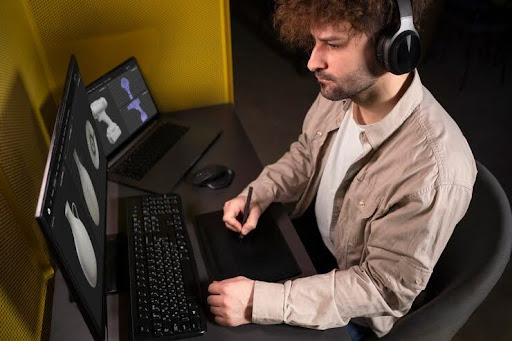
Center your primary monitor and angle secondary screens slightly inward to reduce neck rotation and eye movement. Keep top bezels at or just below eye level, about an arm’s length away. Adjust your IDE, terminal, and documents so posture stays upright—NeuroLens supports alignment, but no lens fixes chronic leaning or crowded screens. Use neutral backgrounds and minimize reflections to cut visual distractions.
Follow the 20-20-20 rule: every 20 minutes, look at an object 20 feet away for 20 seconds. Stay hydrated to stabilize tear film and reduce eye strain. For laptop plus external displays, elevate the laptop and use a full-size keyboard to maintain proper desk ergonomics all day.
Center your primary monitor and angle secondary screens slightly inward to reduce neck rotation and eye movement. Keep top bezels at or just below eye level, about an arm’s length away. Adjust your IDE, terminal, and documents so posture stays upright—NeuroLens supports alignment, but no lens fixes chronic leaning or crowded screens. Use neutral backgrounds and minimize reflections to cut visual distractions.
Follow the 20-20-20 rule: every 20 minutes, look at an object 20 feet away for 20 seconds. Stay hydrated to stabilize tear film and reduce eye strain. For laptop plus external displays, elevate the laptop and use a full-size keyboard to maintain proper desk ergonomics all day.
Optimizing Chair, Inputs, and Lighting Setup
Sit with hips back and lumbar support engaged, keeping feet flat and knees slightly below hip level. Adjust armrests so shoulders drop naturally, then set elbows near 90°. Keep the keyboard close with neutral wrists, and place the mouse within forearm width to avoid shoulder reach. These core habits allow NeuroLens programmers to feel prism benefits fully instead of compensating for poor posture. Maintaining proper alignment reduces tension in the neck, shoulders, and forehead, letting visual comfort extend across long coding sessions.
If shoulders creep forward, consider a split or low-tilt keyboard and a compact mouse to shorten reach. Map commonly used shortcuts to reduce mousing. Place reference monitors closer while peripheral screens sit slightly farther away to guide natural gaze transitions. These small adjustments, combined with NeuroLens prism lenses, steadily cut headache frequency, eye strain, and visual fatigue during extended merge reviews or debugging sessions.
Match screen brightness to room lighting without over-dimming. Use blinds, matte filters, or reposition lamps to limit glare. Keep screens clean and apply high-quality anti-reflective coatings. A glare-quiet, ergonomically tuned desk complements NeuroLens, ensuring lenses and workspace function as one system to deliver consistent comfort and sustained focus throughout the workday.
Signs It’s Time to Recalibrate Prism
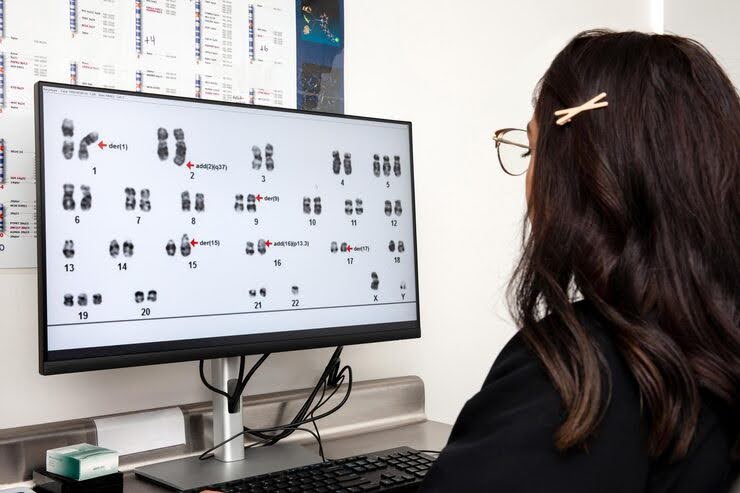
New monitors, changed screen distances, or switching between dark and light themes can shift visual demand and increase strain. Track headaches, neck tension, eye burning, and focus drift for two weeks after any setup changes. If symptoms persist, bring desk photos and your log to your clinician—minor adjustments to contoured prism can realign binocular effort and restore comfort without major changes.
Schedule a recheck sooner after significant upgrades, like ultrawide monitors, stacked setups, or 4K scaling experiments. At our Houston NeuroLens clinic, trial framing confirms whether subtle prism redistribution stabilizes your visual system.
Combine these check-ins with comprehensive eye exams to ensure refraction, dry-eye status, and ergonomics are aligned. By monitoring visual demand and recalibrating as needed, NeuroLens keeps coding sessions more comfortable, reduces headaches, and maintains sharp focus during long workdays or intense on-call periods, supporting healthier, strain-free screen time.
Persistent late-day eye strain often responds to small, precise adjustments. Narrow your monitor spread, slightly raise or lower your chair, or tilt a panel just a degree to reduce tension. Use window managers to pin code to the left, documents to the right, and terminals in consistent locations. Predictable eye paths reduce large jumps between screens, easing binocular alignment and letting NeuroLens prism lenses deliver their full benefits during long coding sessions.
Export your workspace layout with photos and measurements to bring to check-ins. Your clinician can map symptoms to geometry and suggest data-driven adjustments. If you frequently switch between home and office setups, replicate monitor heights, distances, and brightness. Maintaining consistent ergonomics across workspaces multiplies the effectiveness of prism lenses, helping reduce headaches, eye strain, and fatigue without trial-and-error frustration. Combined with proper cabling, lighting, and posture, these subtle refinements make long coding sessions more comfortable, improve sustained focus, and support healthier, more productive screen time.
Combat Dryness, Improve Blinks, Boost Productivity
Coding often reduces blink rate, leading to dryness and eye fatigue. Combat this by adding subtle on-screen prompts, practicing grouped “blink sets” after each compile, and sipping water regularly. Use doctor-approved lubricants during long code reviews or retro meetings to maintain comfort. Consistent hydration and blink awareness improve time-on-task and help reduce end-of-day fog, keeping focus sharp across long programming sessions.
If dryness persists, discuss meibomian gland care, room humidity, and screen airflow with your clinician. Small adjustments, such as a desk diffuser, redirected vents, or short “look-far” breaks, can stabilize vision. Pair these strategies with proper developer desk ergonomics so NeuroLens prism lenses maintain their effectiveness. Combining environmental control, posture, and lens support ensures sustained comfort, reduces eye strain, and makes coding marathons more productive without compromising visual health.
Essential Daily Checklist for Developers
Morning: Start by confirming seat and screen geometry, centering your primary monitor, verifying heights and distances, and checking text scaling for today’s coding tasks. Proper alignment at the start of the day reduces neck, shoulder, and eye strain while letting NeuroLens prism lenses deliver full benefit.
Midday: Use micro-break timers, perform two blink sets per hour, hydrate, and practice distance-focus exercises between meetings. These habits stabilize tear film, reduce eye fatigue, and help maintain comfort and focus during long coding sessions.
Morning: Start by confirming seat and screen geometry, centering your primary monitor, verifying heights and distances, and checking text scaling for today’s coding tasks. Proper alignment at the start of the day reduces neck, shoulder, and eye strain while letting NeuroLens prism lenses deliver full benefit.
Midday: Use micro-break timers, perform two blink sets per hour, hydrate, and practice distance-focus exercises between meetings. These habits stabilize tear film, reduce eye fatigue, and help maintain comfort and focus during long coding sessions.
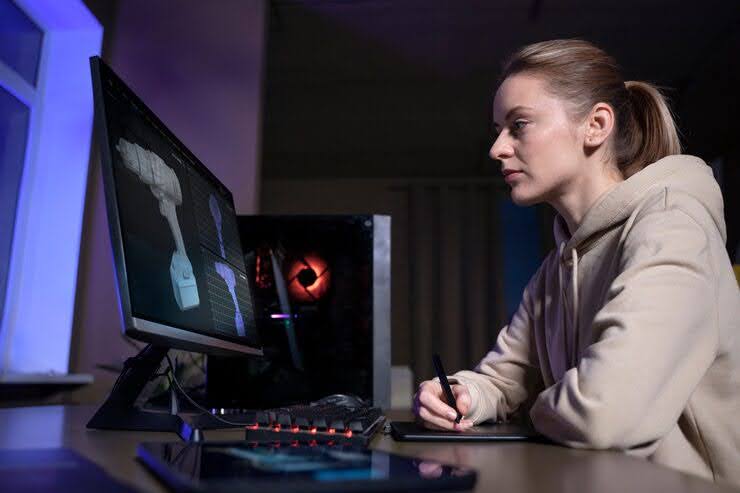
Evening: Record symptoms on a 0–10 scale and capture your desk layout. Spending a minute on notes simplifies next-day adjustments and accelerates prism reviews at Kleinwood Vision. Regular logging of workspace, posture, and comfort ensures optimal alignment, minimizes strain, and supports sustained productivity and visual comfort throughout the workday.
Two-Week Workspace and Lens Optimization Sprint
Week 1: Begin by centering your primary monitor and angling secondary screens 10–20° inward. Set top bezels just below eye level and maintain a viewing distance of roughly an arm’s length. Adjust chair height, armrests, and input devices to support relaxed shoulders, neutral wrists, and proper posture. Remap frequently used shortcuts to minimize excessive reach and repetitive strain. Log headaches, eye strain, and posture notes twice daily to track patterns and identify early signs of visual or musculoskeletal fatigue. Establishing a solid baseline ensures NeuroLens prism lenses provide maximum support without being offset by poor ergonomics or inconsistent setup
Week 2: Focus on refining brightness, contrast, and glare control. Standardize window management so gaze patterns remain predictable, reducing large jumps and alignment stress. Incorporate the 20-20-20 rule—look 20 feet away every 20 minutes for 20 seconds—and maintain hydration targets to stabilize tear film and reduce dryness. Track night sessions separately, as theme, contrast, or dark-mode shifts can change visual demand and affect comfort.
If headaches, eye fatigue, or neck tension persist, schedule a prism check. Bring logs, desk photos, and display measurements. Minor contoured-prism updates often restore alignment and comfort. As projects change—dark-mode nights, heavy code reviews, or pair programming—revisit monitor layout and confirm relief remains stable.
Consistency, paired with small, data-driven adjustments, produces lasting comfort. When combined with NeuroLens, disciplined desk setup, and aligned habits, multi-monitor eye strain becomes manageable rather than a blocker, supporting focus, productivity, and long-term visual health during extended coding sessions.
Frequently Asked Questions for Developers
Side-by-side or stacked monitors? Side-by-side with a centered primary is usually simplest and most ergonomic. Stack monitors only when vertical work dominates, as stacking can increase neck rotation and visual effort. Proper alignment ensures NeuroLens prism lenses work effectively without forcing compensatory posture.
Blue-light filters? These are secondary to brightness matching and glare control. Use them only if they improve comfort without overly dimming screens. Managing glare, reflections, and consistent brightness across monitors often provides more relief than relying on filters alone.

Side-by-side or stacked monitors? Side-by-side with a centered primary is usually simplest and most ergonomic. Stack monitors only when vertical work dominates, as stacking can increase neck rotation and visual effort. Proper alignment ensures NeuroLens prism lenses work effectively without forcing compensatory posture.
Blue-light filters? These are secondary to brightness matching and glare control. Use them only if they improve comfort without overly dimming screens. Managing glare, reflections, and consistent brightness across monitors often provides more relief than relying on filters alone.
Standing desk? Night coding? Yes—save sit/stand presets to keep monitor and keyboard geometry constant. For night coding, dim room lighting, balance theme contrast carefully, and monitor symptoms. If halos or glare persist despite anti-reflective coatings, schedule a NeuroLens review. Minor prism or ergonomic adjustments can restore comfort, ensuring extended coding sessions remain productive, strain-free, and compatible with your visual needs.
Personalized Comfort Plan for Coders
Tracking and Adjustments: Maintain a one-page desk map recording monitor heights, distances, angles, and a weekly symptom chart. If scores rise for three consecutive days, review your layout, reset text and window scaling, and schedule a quick tune-up. At our Houston NeuroLens clinic, prism adjustments and ergonomic alignments are handled efficiently to restore comfort and reduce eye and neck strain.
Wear and Reassess: Use NeuroLens lenses for all coding tasks during the first two weeks after any setup changes, then reassess comfort and performance. Combine disciplined developer desk ergonomics with scheduled comprehensive eye exams to maintain clear vision and reduce fatigue. For fittings, adjustments, or layout consultations, contact Kleinwood Vision. With consistent tracking, tailored adjustments, and NeuroLens support, you can code longer with less strain while preserving focus and visual health.
Contact Info
Hours of Operation
Mon - Fri | 9:00 AM - 5:00 PM
Sat - Sun | Closed
Holiday Hours: We are closed for the following holidays: New Years Day, Memorial Day, Independence Day, Labor Day, Thanksgiving Day, Christmas Day
The information provided on this website is for general informational purposes only and does not constitute professional medical advice, diagnosis, or treatment. Always seek the guidance of a licensed eye care professional or qualified health provider with any questions you may have regarding a medical condition or vision concern. Results from eye care services may vary by individual.
© 2026 Kleinwood Vision. All rights Reserved.