
NeuroLens
Why Screens Trigger Neck And Shoulder Pain

FSDAVCFEBFEVSDDVFSD
FSDAVCFEBFEVSDDVFSD

FSDAVCFEBFEVSDDVFSD
Why Screen Pain Is Not Always Posture Alone
Neck and shoulder pain from screens is often blamed on posture, and posture can absolutely play a role. Many people lean forward, hunch their shoulders, tilt their head, or look down for long periods while working on computers, tablets, or phones. These habits can create muscle tension by the end of the day.
However, posture is not always the whole story. Some people change their posture because their eyes are struggling. If the visual system is working too hard to focus or stay aligned, the body may compensate by moving closer, tilting the head, or holding tension around the neck and shoulders.
Neck and shoulder pain from screens is often blamed on posture, and posture can absolutely play a role. Many people lean forward, hunch their shoulders, tilt their head, or look down for long periods while working on computers, tablets, or phones. These habits can create muscle tension by the end of the day.
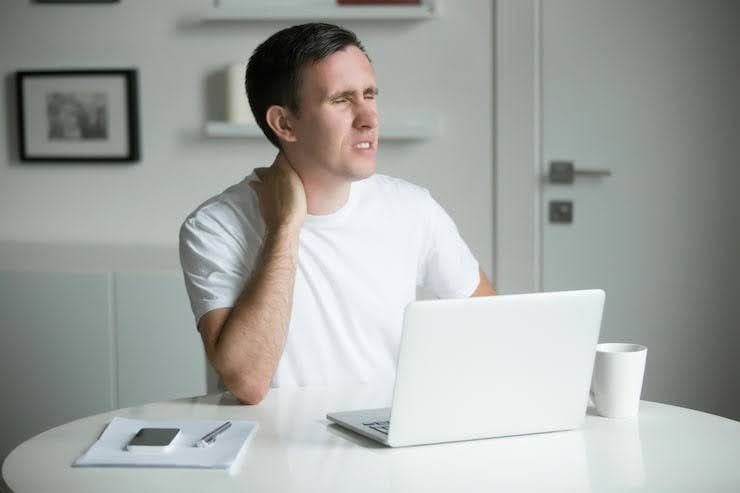
However, posture is not always the whole story. Some people change their posture because their eyes are struggling. If the visual system is working too hard to focus or stay aligned, the body may compensate by moving closer, tilting the head, or holding tension around the neck and shoulders.
How Eye Strain Can Create Body Tension
The eyes and body work together during screen use. When vision feels clear and comfortable, a person is more likely to maintain a natural posture and stable viewing distance. When the eyes feel strained, tired, or slightly uncomfortable, the body may respond by leaning closer, raising the chin, lowering the head, or turning slightly to one side to improve the view. These adjustments may seem minor but can contribute to physical discomfort over time.
Small binocular vision problems can add to this pattern. If the eyes are slightly misaligned, the brain may work harder to keep images single, clear, and comfortable. This extra effort may be manageable for short periods, but screen use often continues for several hours each day. Over time, visual effort can combine with muscle tension and contribute to symptoms that feel like a neck or shoulder problem.
Patients may notice headaches, eye pressure, blurred focus, trouble concentrating, or neck tightness after prolonged screen use. Some experience relief after closing their eyes or taking a break from the computer. These signs suggest discomfort may involve both visual strain and posture rather than posture alone.
Signs Your Eyes May Be Involved

Eye involvement is more likely when neck and shoulder pain appears with headaches, eye pressure, tired eyes, blurred vision, double vision, or difficulty refocusing after screen work. Patients may feel comfortable at the beginning of the day but develop tension, visual fatigue, and discomfort after several hours of near tasks. These symptoms may indicate that the visual system is placing additional stress on the body during prolonged screen use.
Another sign is when symptoms improve after the eyes rest. If closing the eyes, taking a screen break, or switching to distance viewing provides relief...
visual factors may be contributing to discomfort. While posture changes can reduce strain, a binocular vision evaluation can help determine whether the eyes are working harder than expected during extended screen activities. Identifying these factors may support better strategies for managing screen-related discomfort.
Patients often try new chairs, monitor stands, stretching routines, or massage before considering an eye-related cause. These changes can be helpful, especially when workstation setup is poor. However, if the same symptoms return during screen-heavy days, it may be important to consider whether vision comfort is contributing to the problem. Neck pain from screens may involve both posture and visual demands.
A helpful clue is whether discomfort follows visual tasks. For example, neck tension that develops during spreadsheets, reading, charting, phone scrolling, or close computer work may be connected to increased eye effort. Neck pain that appears after lifting, exercise, or sleep position may have a different cause. The more clearly patients explain their triggers, the easier it is for the doctor to determine whether NeuroLens screening is appropriate. Understanding these patterns can help identify whether visual factors are playing a role in ongoing discomfort.
How NeuroLens Screening Can Help
NeuroLens screening measures how the eyes align at distance and near, which is important because many screen activities occur at near or intermediate viewing distances. Even small alignment challenges may require the eyes and brain to work harder to maintain coordination and clear vision. Over time, this additional effort can contribute to visual strain, fatigue, headaches, and discomfort during extended screen use.
The screening results are reviewed alongside symptoms, prescription testing, eye health, dry-eye evaluation, and the patient’s screen habits. NeuroLens is most helpful when the measurements and symptoms support each other. If results suggest binocular strain, contoured prism lenses may be discussed as a possible option to reduce visual effort during daily tasks. This approach may help improve comfort for individuals who experience increased strain during prolonged computer work, phone use, or other visually demanding activities.
Why Good Ergonomics Still Matter Today
Even when the eyes are involved, screen setup still matters. Poor monitor height, close viewing distance, glare, and unsupported posture can increase discomfort and contribute to screen-related strain. Creating a comfortable workstation can help reduce unnecessary stress during daily device use and improve overall comfort.
A better workstation can reduce muscle tension while an eye exam evaluates whether visual effort is contributing to symptoms. Considering both posture and vision provides a clearer understanding of the factors affecting comfort during prolonged screen use.
Even when the eyes are involved, screen setup still matters. Poor monitor height, close viewing distance, glare, and unsupported posture can increase discomfort and contribute to screen-related strain. Creating a comfortable workstation can help reduce unnecessary stress during daily device use and improve overall comfort.
A better workstation can reduce muscle tension while an eye exam evaluates whether visual effort is contributing to symptoms. Considering both posture and vision provides a clearer understanding of the factors affecting comfort during prolonged screen use.
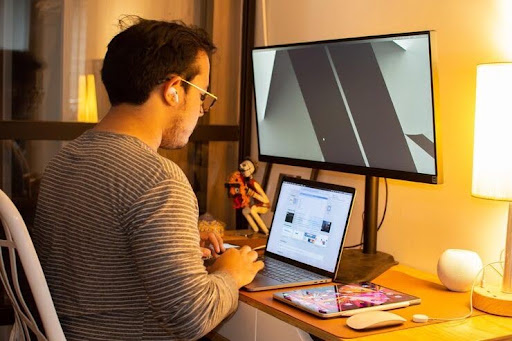
The best approach may include visual correction and habit changes together. Screen breaks, proper distance, good lighting, and better posture can support the results of NeuroLens or other treatment options. Combining these strategies may help reduce discomfort and support healthier screen habits over time.
Why a Complete Evaluation Matters
Neck and shoulder pain from screens often has more than one cause. A patient may experience poor posture, dry eye, an outdated prescription, stress-related muscle tension, and a subtle eye alignment problem at the same time. Because several factors can overlap, a complete evaluation is often more useful than focusing on one symptom alone. Understanding the full picture can help identify the different contributors to discomfort.
The eyes can influence how the body holds itself during screen use. If someone is working harder to keep text clear, avoid blur, reduce double vision, or find a comfortable viewing angle, the neck and shoulders may tighten without the person noticing. Over time, these compensations can become part of a daily routine and contribute to ongoing discomfort during computer work, phone use, or other close-up activities.
NeuroLens screening can help identify whether binocular vision strain may be one missing piece contributing to symptoms. It does not replace medical care, physical therapy, ergonomic improvements, or treatment for other causes of pain. Instead, it provides additional information about how the eyes are working together during demanding visual tasks.
For patients who have tried posture adjustments but continue experiencing screen headaches and neck tension, the information from a NeuroLens eye exam Houston may be valuable. Understanding whether binocular vision strain contributes to symptoms can help create a more targeted plan. Combining visual evaluation with healthy screen habits, ergonomic changes, and appropriate care may help improve comfort and reduce ongoing frustration related to screen use.
Questions to Ask at the Exam
Ask whether your neck and shoulder symptoms could be connected to visual strain. This helps the doctor look beyond prescription clarity alone and consider whether digital eye strain or binocular vision issues may be contributing to discomfort during screen use and other visually demanding activities. Understanding the possible connection can provide a clearer picture of your symptoms.
Ask whether your eye alignment measurements match the tasks that trigger discomfort. Screen-related symptoms are most meaningful when they connect with real viewing demands, including reading, spreadsheets, phone use, or other close-up work. This information can help determine whether visual effort is affecting comfort.
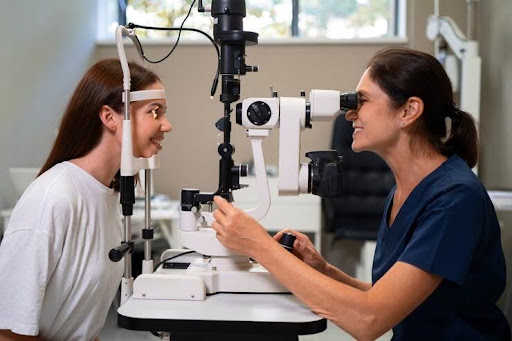
Ask whether your neck and shoulder symptoms could be connected to visual strain. This helps the doctor look beyond prescription clarity alone and consider whether digital eye strain or binocular vision issues may be contributing to discomfort during screen use and other visually demanding activities. Understanding the possible connection can provide a clearer picture of your symptoms.
Ask whether your eye alignment measurements match the tasks that trigger discomfort. Screen-related symptoms are most meaningful when they connect with real viewing demands, including reading, spreadsheets, phone use, or other close-up work. This information can help determine whether visual effort is affecting comfort.
Finally, ask what non-lens changes may also help improve symptoms. Workstation setup, screen breaks, dry-eye care, and posture adjustments can support better results. If you are unsure where to start, contact us to discuss concerns during your next evaluation.
Look Beyond Posture Alone for Answers
If screen work regularly causes neck pain, shoulder tension, headaches, eye pressure, or visual fatigue, track when symptoms occur and which activities trigger them. Bring your current glasses, screen-use details, workstation concerns, and notes about symptom timing to your eye exam. These details help your doctor understand how symptoms affect your daily routine, evaluate possible causes, and determine whether additional testing is appropriate for your needs.
Kleinwood Vision provides comprehensive eye exams and NeuroLens screening for patients experiencing persistent screen-related discomfort. If binocular vision strain is contributing to neck and shoulder pain from screens, identifying the underlying issue can help guide treatment options and improve comfort during extended computer and device use. Contact us to schedule an evaluation and learn whether NeuroLens screening may be suitable for your visual concerns and long-term comfort.
Contact Info
Hours of Operation
Mon - Fri | 9:00 AM - 5:00 PM
Sat - Sun | Closed
Holiday Hours: We are closed for the following holidays: New Years Day, Memorial Day, Independence Day, Labor Day, Thanksgiving Day, Christmas Day
The information provided on this website is for general informational purposes only and does not constitute professional medical advice, diagnosis, or treatment. Always seek the guidance of a licensed eye care professional or qualified health provider with any questions you may have regarding a medical condition or vision concern. Results from eye care services may vary by individual.
© 2026 Kleinwood Vision. All rights Reserved.